Father's reference photo: [UPLOAD FATHER'S ORIGINAL REFERENCE PHOTO HERE]
Mother's reference photo: [UPLOAD MOTHER'S ORIGINAL REFERENCE PHOTO HERE]
First child's reference photo: [UPLOAD FIRST CHILD'S ORIGINAL REFERENCE PHOTO HERE]
Second child's reference photo: [UPLOAD SECOND CHILD'S ORIGINAL REFERENCE PHOTO HERE]
Family names: [ENTER FAMILY NAMES / OPTIONAL]
Diwali greeting: [ADD LATER / OPTIONAL]
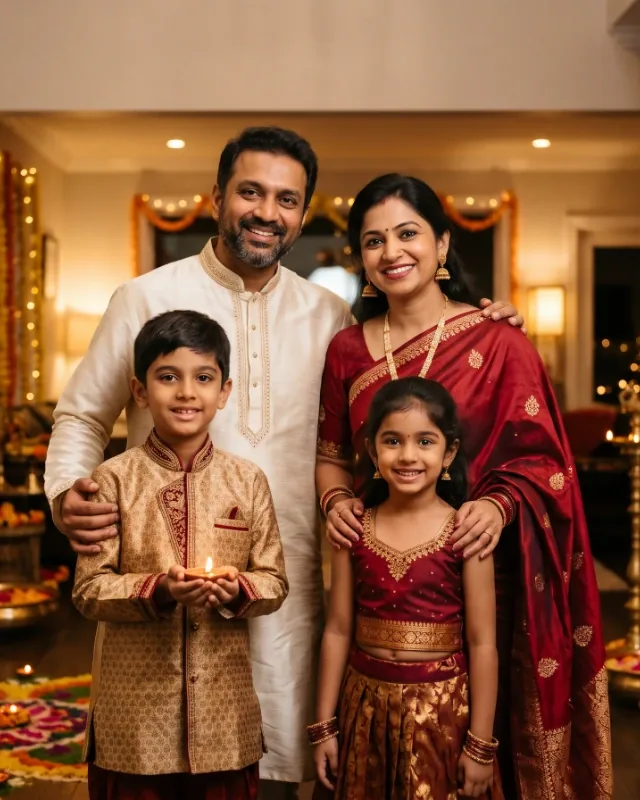
Create a premium, photorealistic Indian family portrait celebrating Diwali, featuring two adult parents and their two children together in a beautifully decorated Indian home. Use the uploaded reference photographs to preserve each family member's individual identity, including their actual facial features, face shape, skin tone, hairstyle, and natural age appearance. Keep all four individuals recognisable and distinct, without blending, swapping, or modifying their identities.
Dress the father in a refined ivory kurta with subtle gold detailing. Dress the mother in a beautiful deep-red silk saree with delicate gold embroidery and elegant traditional jewellery. Dress both children in stylish festive Indian outfits in complementary shades of gold and maroon. Ensure the clothing looks authentic, elegant, coordinated, and appropriate for a family Diwali celebration, with realistic silk textures, embroidery, and natural fabric movement.
Arrange the family closely together in a warm, affectionate standing pose, with the parents positioned slightly behind the children. All four family members should look naturally towards the camera with genuine, joyful smiles. One child gently holds a small decorative diya, while the other stands close to the mother. Their expressions should feel relaxed and loving, capturing a genuine family celebration. Ensure all hands and fingers are anatomically accurate and naturally positioned.
Create a vertical 4:5 portrait framed from approximately knee level upwards. Position the family centrally, with all four faces clearly visible, comfortably separated, and unobstructed. The family should occupy approximately 70% of the frame and remain the main visual focus. Leave a small area of uncluttered background near the upper portion for adding a Diwali greeting later.
Set the scene at an elegant Indian home entrance decorated for Diwali. Include warm glowing diyas arranged along the floor and on decorative surfaces, delicate marigold flower garlands, subtle golden fairy lights, traditional brass decorations, and a beautiful rangoli near the entrance. Keep the decorations tasteful, balanced, and luxurious, creating a welcoming festive atmosphere without overcrowding the composition or distracting from the family.
Use warm golden ambient lighting from the diyas and decorative lights, complemented by soft professional portrait lighting on the family's faces. Maintain natural skin tones, gentle shadows, realistic highlights, and beautifully controlled background bokeh. Apply a refined festive colour palette of deep maroon, traditional red, ivory, antique gold, warm amber, and subtle saffron, with rich but balanced colours.
Use high-end Indian festive family photography with realistic skin texture, authentic clothing details, natural facial expressions, accurate anatomy, professional portrait-lens photography, shallow depth of field, sharply focused subjects, and a softly blurred festive background. The final result should resemble a genuine professional photograph of this actual family celebrating Diwali together, not a generic family portrait with randomly generated faces or decorations.
Create one complete, high-resolution vertical 4:5 photorealistic image suitable for Facebook and Instagram feed posts. Keep all four faces clear and recognisable, with balanced framing and natural proportions. Do not include text, lettering, captions, watermarks, logos, extra people, duplicate faces, distorted hands, extra fingers, unnatural expressions, artificial-looking skin, excessive decorations, oversaturated colours, or cartoon-style rendering.